Keyword Marker - Resolve
Stop Scrolling. Start Editing.
Find every keyword in your transcript instantly, and never search for it again.
Keyword Marker reads DaVinci Resolve's own clip transcripts and places markers on your timeline exactly where your targeted keywords are spoken, finds every take of a line of dialogue and builds AI maps of a long interviews.
Then Keyword Marker builds the timeline for you, creating stringouts of every instance of a keyword, every take of a scripted line or every group of mapped selections.
Find them once, keep them forever.
One-time purchase. Lifetime updates. Two-machine licence.
Download the Preview file to test Keyword Marker for Resolve in Demo mode.
How Keyword Marker Saves You Hours of Wasted Time
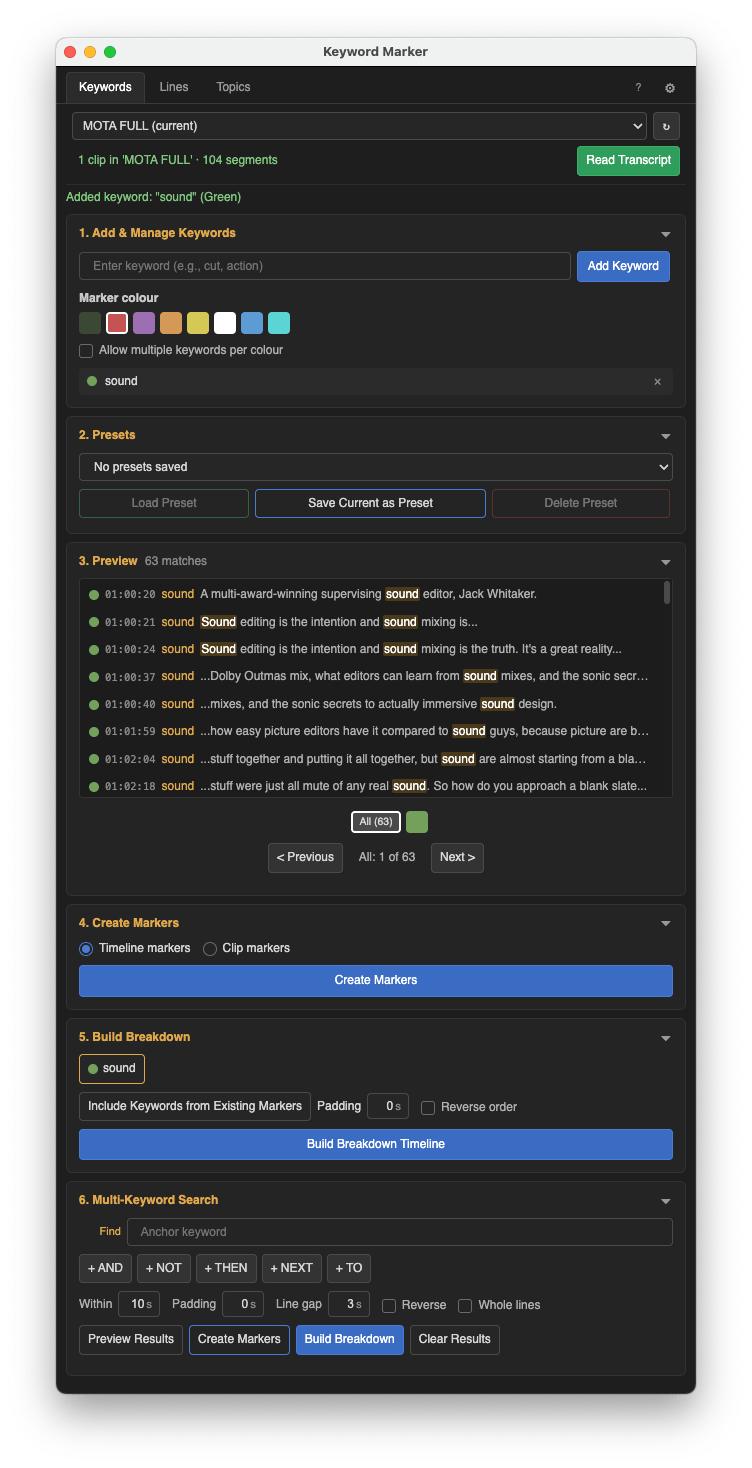
Mark every instance of a keyword in seconds, not minutes. They stay visible on your timeline, ready when you need them.
✓ Tag all "Action" and "Cut!" moments across 50 takes → 5 seconds, not 10 minutes
✓ Find topic clusters in long interviews → instant visual map
✓ Hunt down client feedback ("the bit where they mention…") → marked permanently
✓ Track frankenbite options (all the "ands", "buts", "sos") → review and choose
✓ Navigate verse/chorus sections in music videos → colour-coded and ready
Built on Resolve's own transcripts
Transcribe a clip in Resolve and Keyword Marker already knows where every word sits. No SRT exports, no syncing, no drift. Clips that aren't transcribed yet? Hit **Transcribe** and Resolve does it for you.
Every marker and every build snaps to the exact word, including trimmed clips, clips used more than once, multicam clips (active angle) and multi-camera, multi-mic timelines.
Keywords: mark, navigate, build
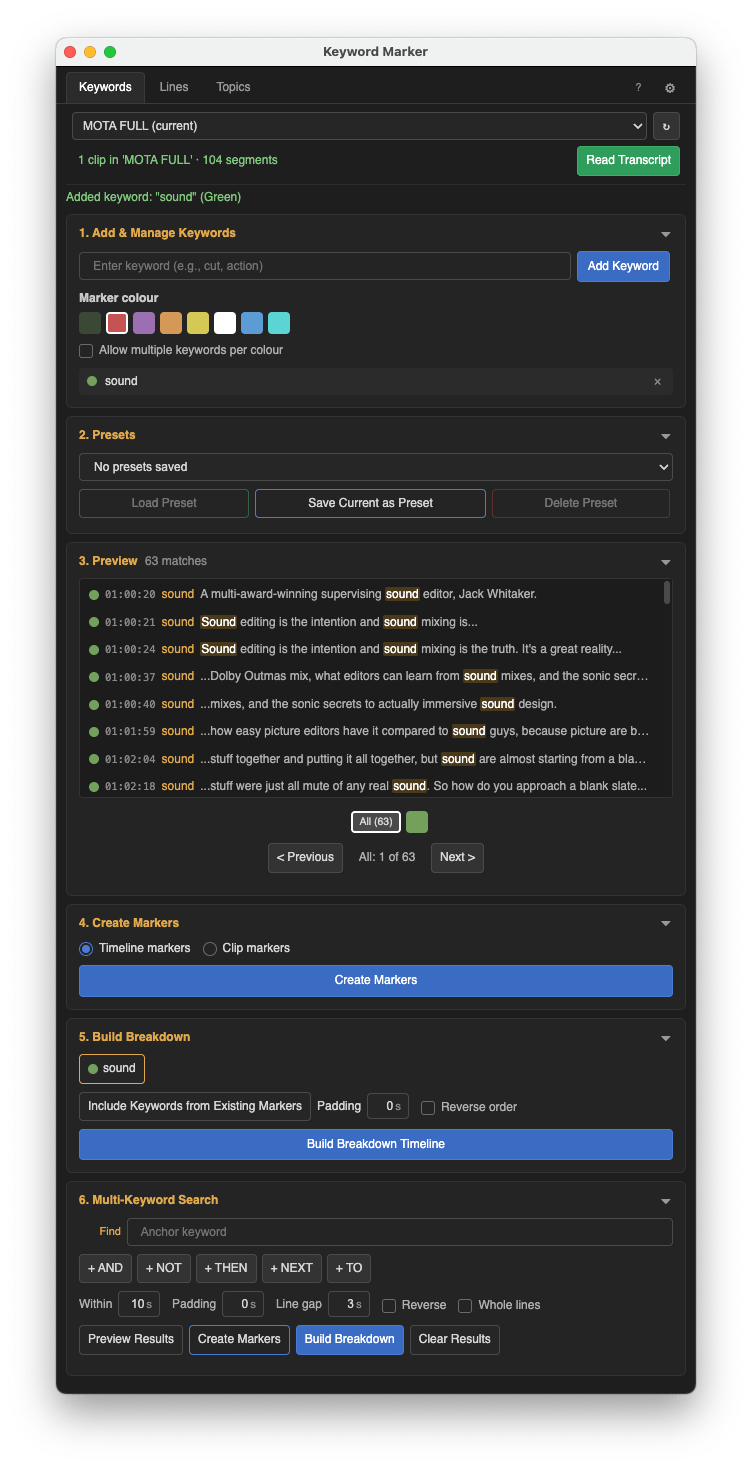
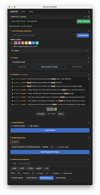
Add your keywords, pick from 8 marker colours, preview every match in context, and batch-add markers in seconds.
- Timeline markers or clip markers – Put clip markers on one track or all of them. On a multi-mic timeline, the marker lands on the clip of the person who actually said the word.
- Build Breakdown Timeline – One click assembles a new timeline of just the matching moments, with every track carried across and the handles you choose. Your source media is never touched.
- Safe by design – Undo the last batch, and **Clear Keyword Markers** only ever removes the markers Keyword Marker made. Your own markers are never touched.
Multi-Keyword Search
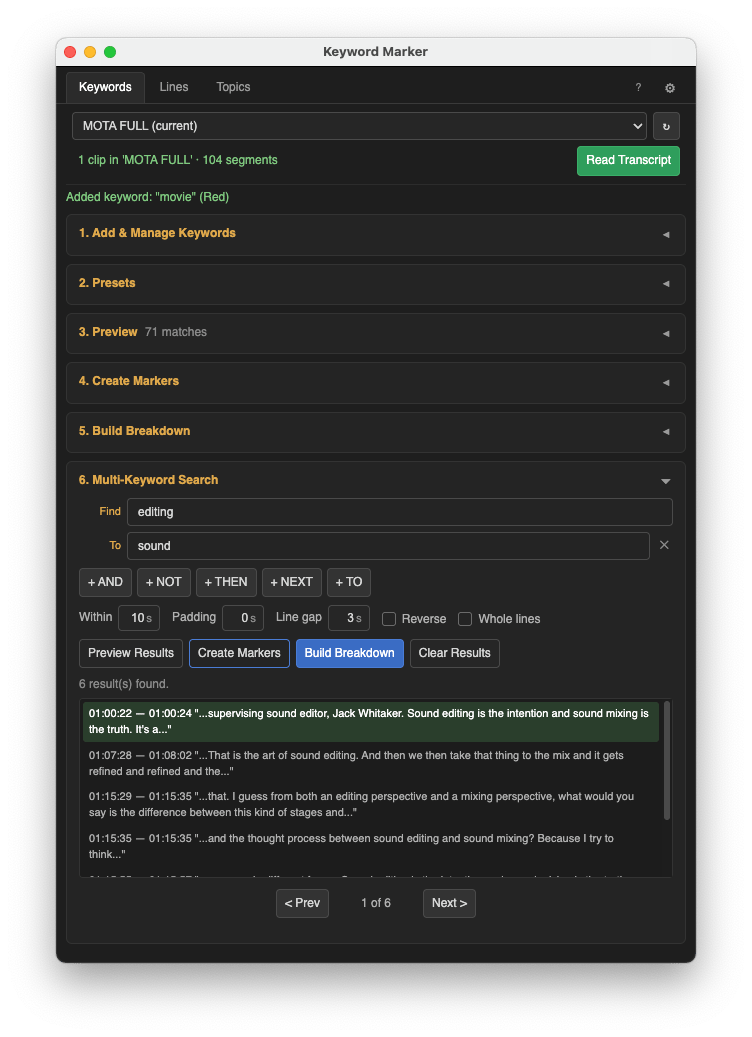
Single keywords find moments. Multi-keyword search finds relationships.
Build a rule with an anchor keyword, then add conditions:
- AND: find moments where two topics appear together
- NOT: filter out results where an unwanted word appears nearby
- THEN: find word A followed by word B within a time window
- NEXT: find a specific word sequence, one word at a time
- TO: capture everything from one word to the next ("action" to "cut")
Results are timed to the words themselves, or tick **Whole lines** to take the full transcript lines. Preview every result, click to jump to it, then mark it or build it into a timeline.
Lines: every take, instantly
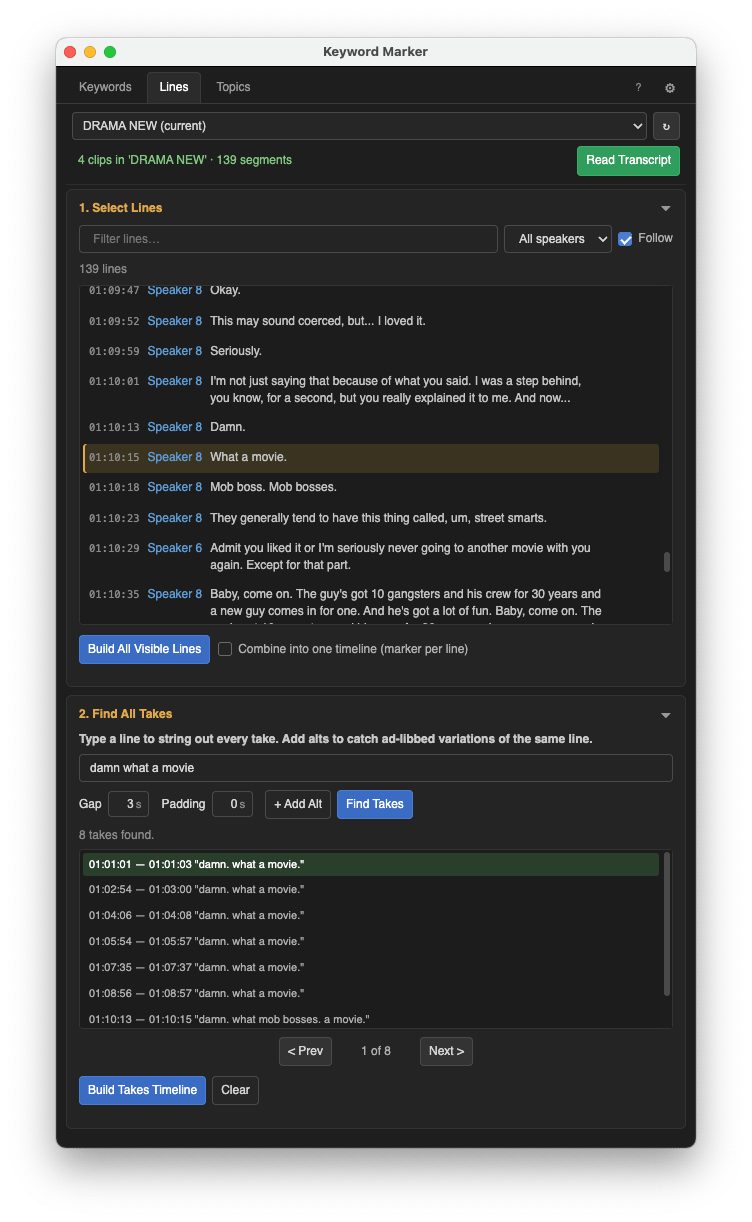
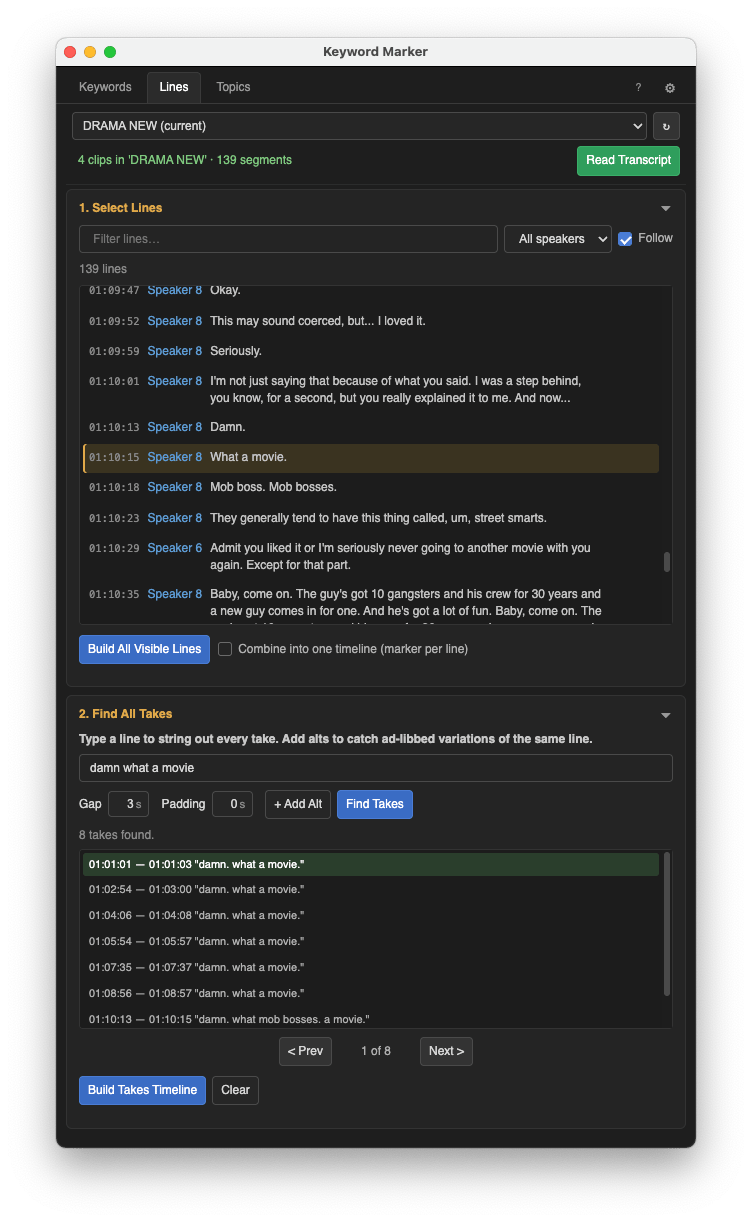
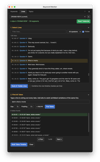
Built for drama and scripted rushes. Type a scripted line and get every take of it strung together, tight to the words. Ad-libbed a variation? Add it as an alt and it's pulled into the same stringout.
- Build All Visible Lines: every line's takes back to back in one timeline, with a marker per line, or a separate timeline per line.
- Follow: the transcript tracks the line under the playhead as you play.
NEW – Syllables: fix a word with another word
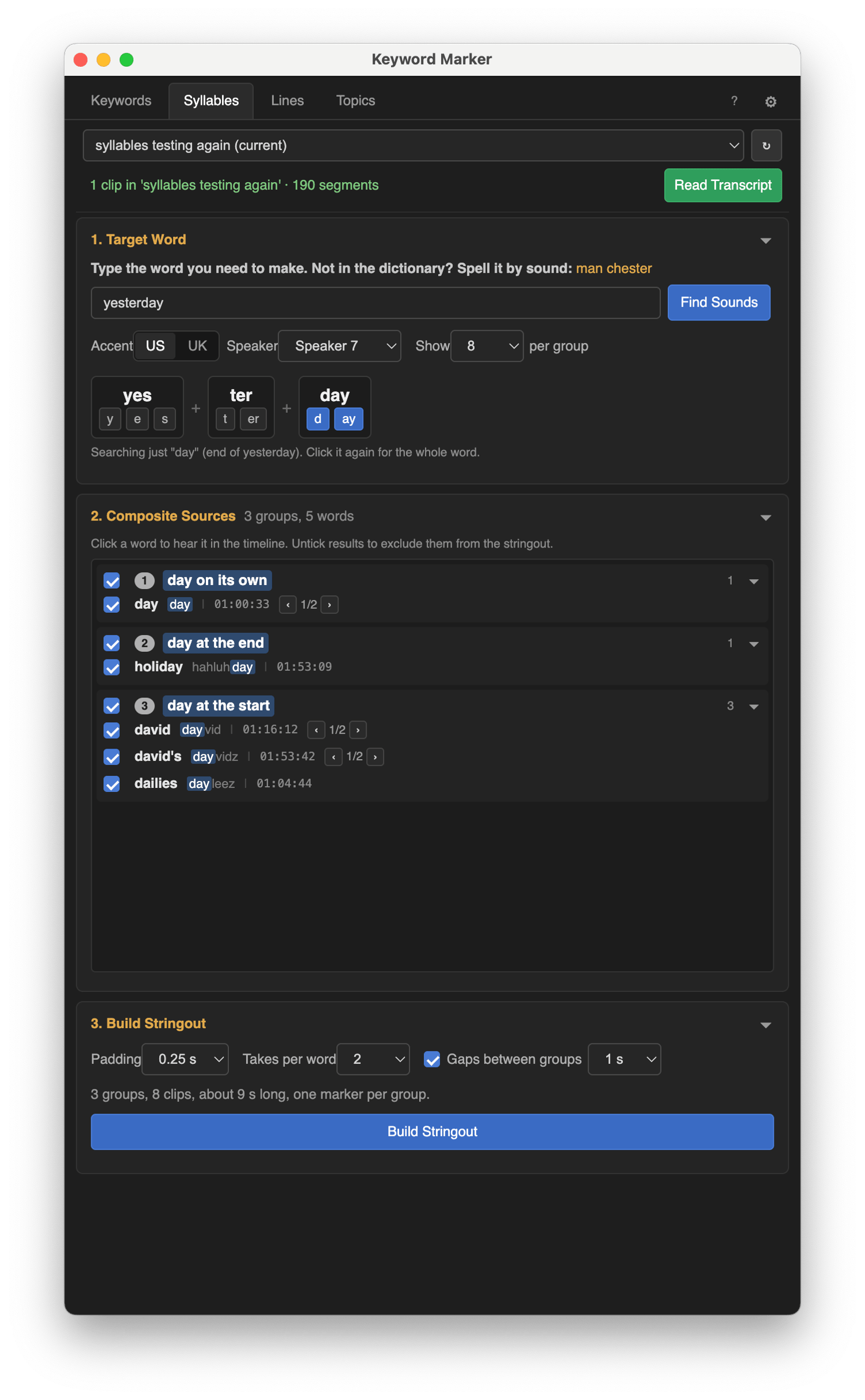
Keyword Marker's Syllables tab enables you to find and fix words based on their composite sounds. Search a word and it finds every place they made the right sounds, by sound, not spelling, and builds a timeline to recut the word from.
- Type the word: see each syllable, a suggested composite (fewest cuts) and the best source for each piece.
- Just need one sound? Type "st" or "ch" and get every word that has it.
- Build Stringout: every source grouped by sound, one marker per group with a note on how to use it.
- Click any result to hear it, step through every take.
- Choose between American or British pronunciation.
Topics: map your footage with pay-as-you-go AI
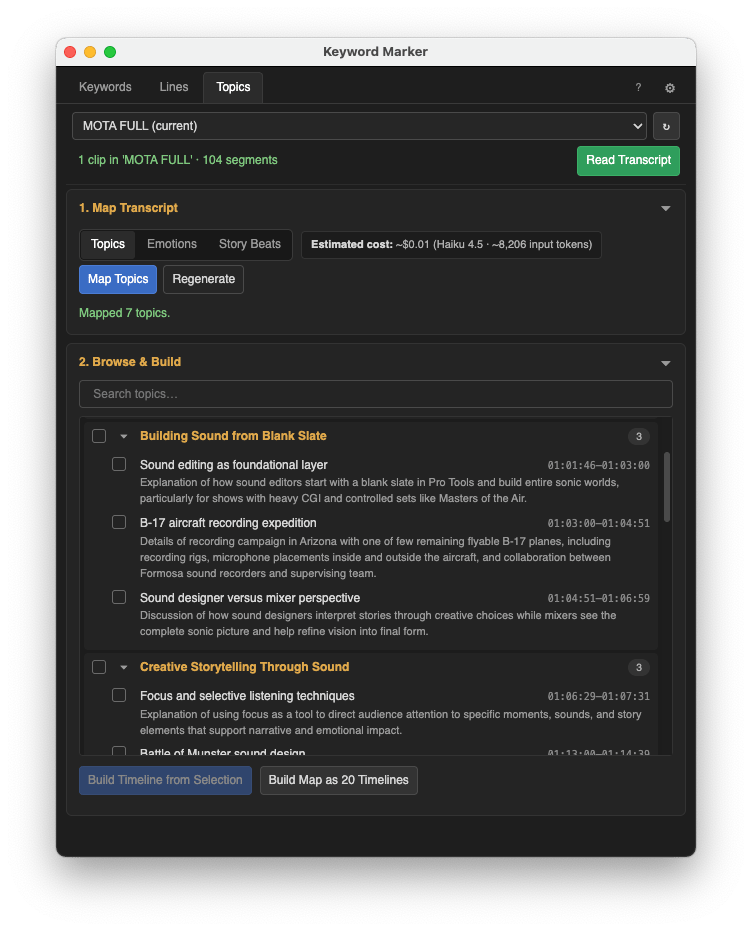
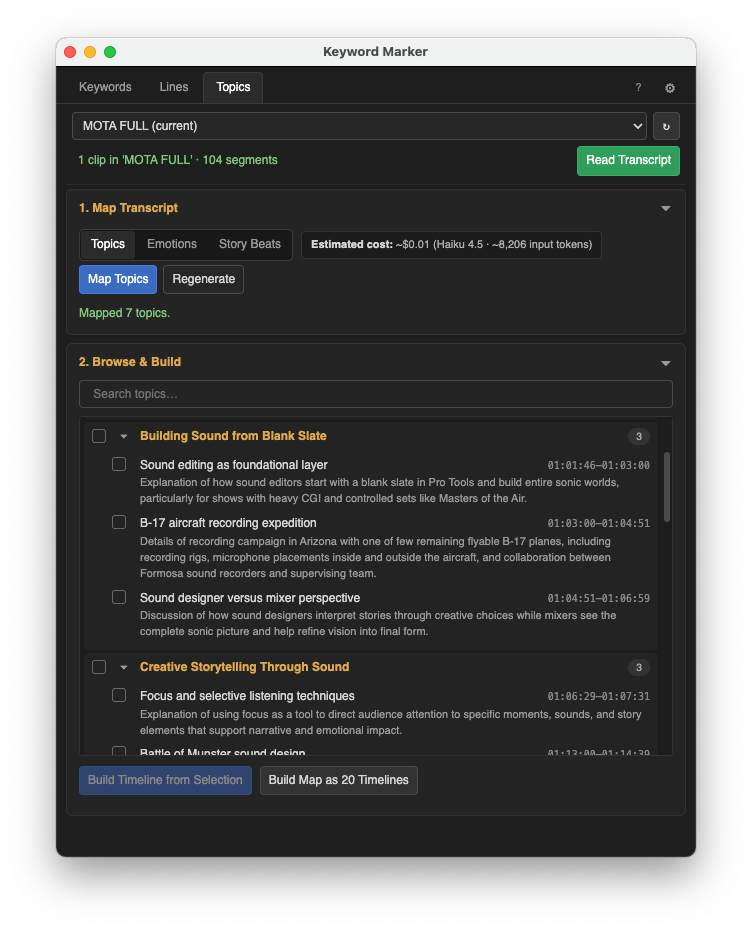
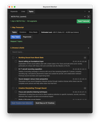
Map a transcript by Topic, Emotion or Story Beats for a few pennies each, using your own Anthropic API key. You see the cost before anything is spent.
Generate all three, switch between them, click any moment to jump to it, and build a timeline straight from your selection. Or build the whole map at once: one Media Pool bin per topic, one timeline per moment.
Keyword Marker is Built For
- Multi-cam editors who need markers on the right clip and the right track
- Interview and doc editors mining long footage for moments
- Drama editors and assistants comparing every take of a line
- Agency editors answering "find that part where…" requests
- Any editor tired of re-searching the same keywords over and over
How It Works
- Transcribe your clips in Resolve (or hit **Transcribe** in Keyword Marker)
- Open **Workspace > Workflow Integrations > Keyword Marker** and read the timeline's transcript
- Type the keywords you're hunting for
- Preview them in context with timecodes
- Batch-add markers, or build a timeline of the results
- Navigate by colour and keyword instantly
Simple Pricing
$24, one-time purchase
✓ Lifetime of free updates
✓ Install on 2 machines
✓ No subscription. Ever.
QUESTIONS?
Why isn't this app supported on Windows?
I only own and develop on a Mac so I can't test these apps on a Windows machine. Thus Windows use is not supported. Sorry!
Can't I just use Resolve's transcript search?
Yes, one word at a time. Keyword Marker marks every match permanently, handles multi-keyword rules, finds every take of a line, and builds the timelines for you.
Which version of Resolve do I need?
DaVinci Resolve Studio 21.1 or later, on a Mac. The free version of Resolve doesn't support Workflow Integration plugins.
How do I install it?
- Copy the `com.cutdaily.keywordmarker.resolve` folder into `/Library/Application Support/Blackmagic Design/DaVinci Resolve/Workflow Integration Plugins/`
- Open Resolve and choose Workspace > Workflow Integrations > Keyword Marker.
Full steps are in the Read Me included in the download.
Do I need an AI subscription?
No. Everything except the Topics tab works without one. Topics uses your own Anthropic API key and costs pennies per map, with estimates costs shown before you run it. The API key is pay-as-you-go. Load up a few bucks, spend it slowly.
I own Keyword Marker for Premiere. Does my licence work?
No, Keyword Marker for Resolve is a separate product with its own licence.
Will this work with my workflow?
If you need to find words in your footage, yes.
Get a full refund if it doesn't.