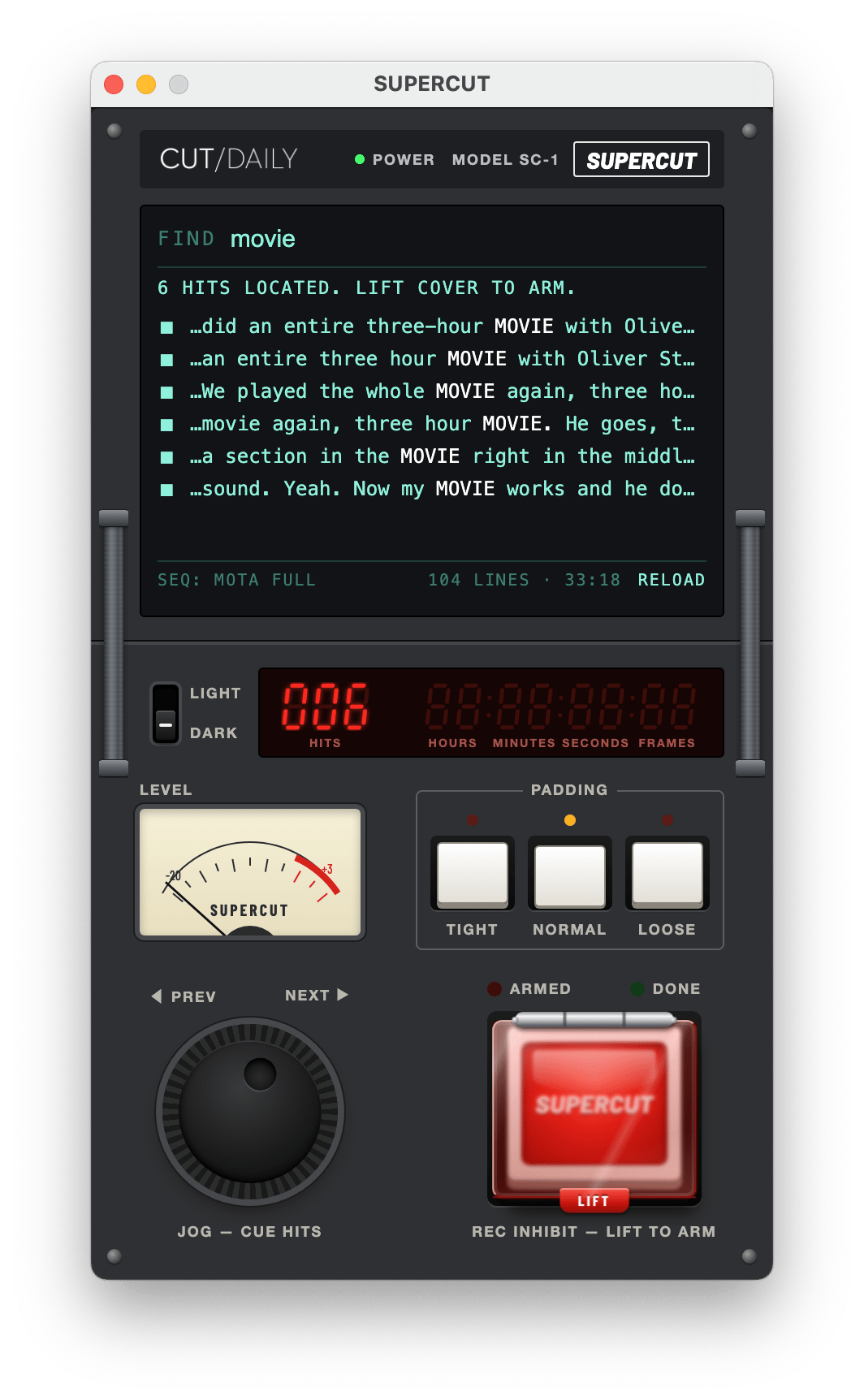
SUPERCUT
Supercuts without the work
Type a word or phrase, lift the cover, press the big red button.
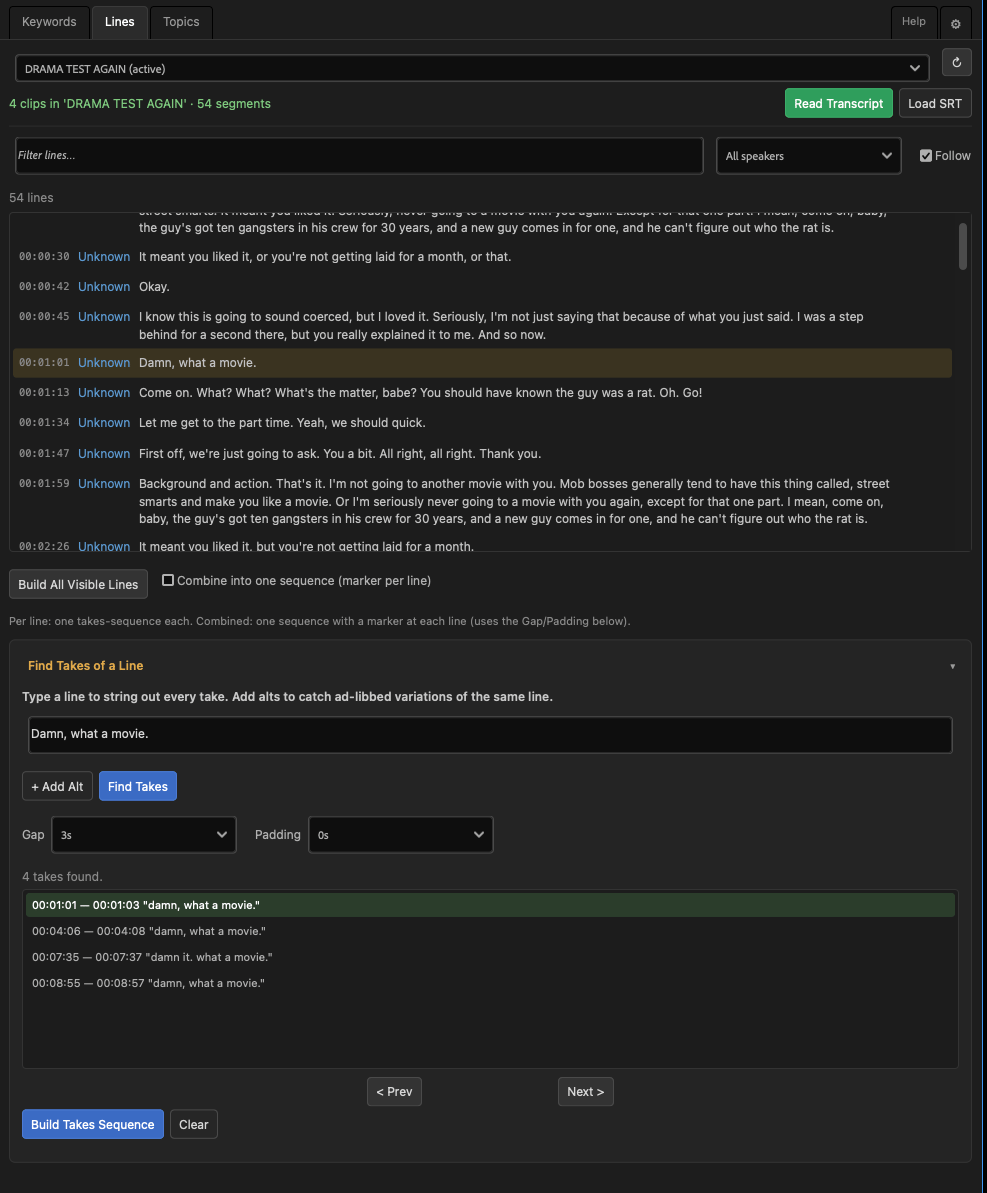
SUPERCUT is a free Premiere Pro and DaVinci Resolve Studio panel that finds every time a word or phrase is said in your sequence and builds a new timeline of every instance, back to back.
What SUPERCUT does
- Finds every instance of a word or phrase in your active sequence's transcript
- Builds a brand new sequence of every hit, back to back — your original is never touched
- Exact matching: "you know" won't match "you don't know". Capitals and punctuation don't matter
- Tight, Normal or Loose padding — cut right on the word, or leave a little breath either side
- Untick any hits you don't want before you cut
- Click a hit (or spin the jog wheel) to jump the playhead straight to it
- Hits that sit close together merge into one clip, so no footage plays twice
- Names the sequence for you: SUPERCUT — "basically" ×12 — Tight
- Now supports Multicam transcripts (Premiere only)
How it works
1. Transcribe your clips in Premiere or DaVinci Resolve Studio
2. Open SUPERCUT and type a word or phrase — every hit lists in context
3. Lift the cover, press the button — a new sequence appears with every hit, back to back
Built for
- YouTubers and podcasters making highlight reels and running jokes
- Documentary and interview editors checking how often something gets said
- Promo and trailer editors hunting for the perfect line reading
- Anyone who's ever scrubbed a two-hour interview for one word
See it in action
Push SUPERCUT'S buttons on the working demo before you download.
Requirements
Premiere Pro 25 or later.
DaVinci Resolve Studio 21.1+ (Mac) - the free version of Resolve doesn't support plugins
Free or pay what you want. Free updates. No subscription.
Every download includes free Cut/daily membership.
FAQ
How do I install SUPERCUT?
Premiere Pro — Double-click the downloaded .ccx file and Creative Cloud installs it.
Then open it from Window › UXP Plugins › SUPERCUT in Premiere Pro.
DaVinci Resolve Studio — unzip and copy the 'com.cutdaily.supercut.resolve' folder into /Library/Application Support/Blackmagic Design/DaVinci Resolve/Workflow Integration Plugins/.
In Resolve: Workspace › Workflow Integrations › SUPERCUT.
Which sequence does it search?
Whichever one is active. Switch sequences in Premiere and Resolve and SUPERCUT reads the new one automatically. If a sequence has no transcript yet, transcribe it and press RELOAD.
Will it change my sequence?
No. Every supercut is built as a new sequence. Your original stays exactly as it was.
Can I search for a phrase, not just a word?
Yes. Type the whole phrase. It matches the words in order, exactly as they're said.
Want more than one button?
SUPERCUT is one button. Keyword Marker is the whole machine: stringouts of every take, multi-keyword rules (AND/NOT/THEN/NEXT), markers on every hit, custom padding and saved presets, and AI topic maps.
Does SUPERCUT collect any data?
Only a count. Each time you make a supercut, it adds one to the public "supercuts made" counter on the Cut/daily site. It never sends what you searched for, or anything about you or your footage.
Why is it free?
It's a taste of what Cut/daily's apps can do. If it saves you an afternoon, pay what you think it's worth — it helps fund more free tools.